info@zinavo.com
 +91-77602 45945

Introduction
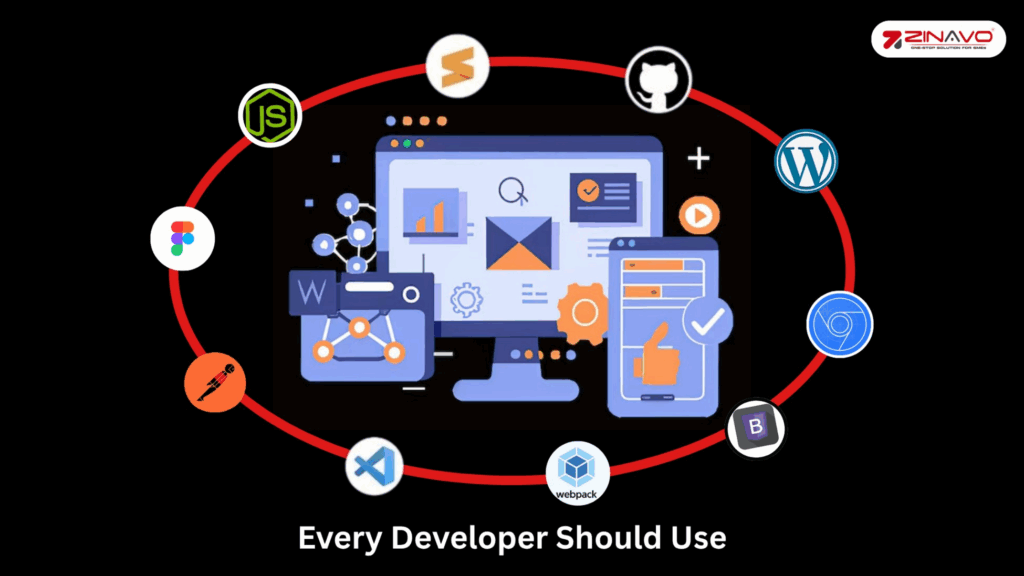
The web development industry has developed quickly in the modern digital world. The right tools can make all the difference between an efficient work flow and endless frustration, regardless of your level of experience. Website development is no longer just about writing code it also involves designing, testing, optimizing and deploying responsive, fast and user-friendly websites. We have selected the top ten website development tools for 2025 to assist developers.
1. Visual Studio Code (VS Code)
One of the most popular code editors globally, Visual Studio Code is a lightweight yet powerful tool. It supports multiple programming languages like HTML, CSS, JavaScript, Python and more.
Main Features
- Two-part view: Supports simultaneous work on two projects.
- Program in the best programming languages: The tool supports several programming languages, including C++, JavaScript and Python.
- Git integration: Users may use Git commands such as commit, pull and push. It also displays a color indication when changes are made to the Git repository.
- A large extension library: The marketplace offers a variety of themes and plugins.
- User interface customization: Visual Studio provides a customizable code editor that allows you to debug your code using breakpoints, call stacks and interactive displays.
- Uses the Command Palette feature: Allows users to locate various commands and actions quickly. As an example, if you enter Python, you will be able to view all the instructions for the language.
Disadvantage:
- VS Code crashes often while installing or running many plugins.
- This web development tool consumes a large amount of disk space.
2. GitHub & GitHub Copilot
GitHub is an open-source, cloud-based Git repository hosting service with a graphical user interface for backend development. This service allows you to view any modifications you’ve made to your project and even refer to your initial conditions. It might be an effective way to increase your network and enhance your brand as a web developer. Adaptable project management solutions are included to help companies adapt to any team, project or process. GitHub is also the most famous web development platform right now.
Main Features of GitHub:
- Automation: Automate CI/CD, testing, project management and onboarding.
- Integrations: Extend functionality with third-party apps from GitHub Marketplace like Zenhub and Azure Pipelines.
- Code Review & Pull Requests: Assign multiple contributors to monitor and review project development.
- Codespaces: Browser-based or VS Code editor with all tools to start a repository.
- Mobile Support: Manage projects on iOS and Android apps.
- Security: Code scanning, audit logs and SOC 1 & SOC 2 compliance.
- User Management: Set access levels and permissions for team members.
- Copilot: AI-powered code suggestions, auto-completion and unit testing support.
The disadvantages
- Command-line experience: GitHub requires previous command-line experience to be used effectively.
3. Chrome Developer Tools
Chrome DevTools is an essential tool for debugging and optimizing websites. Integrated into Google Chrome it allows developers to inspect elements, monitor network activity and test performance.
Main Features of Chrome DevTools:
- Security Checks: Verify SSL certificates and TLS status for website legitimacy.
- Local Overrides: Save and test web page changes locally in real-time.
- Console Utility: Debug JavaScript, create live expressions and monitor values.
- Lighthouse Audits: Analyze speed, accessibility, PWA and SEO to identify improvements.
- Web Design Tools: Inspect elements, test layouts and use the Color Picker for design tweaks.
- Performance Profiling: Monitor memory usage and detect leaks with Chrome Task Manager.
- Device Mode: Test responsiveness, adjust device settings and simulate network conditions.
The disadvantages
- Less experienced users will need time to explore and utilize the development tools available.
- Developers cannot directly alter or create code: Web developers cannot edit code directly.
4. Sublime Text
One of the most popular code editors is Sublime Text, known for its speed and simplicity. It offers a highly customizable interface, allowing developers to customize their workspace to fit their needs. Sublime Text also supports a wide range of plugins, enhancing its functionality with features like syntax highlighting, code folding and multiple selections. Additionally, its lightweight design ensures fast performance, even when working with large files.
Main Features
- Multiple selections: It is possible for users to find multiple code lines modified, renamed or manipulated.
- Allows users to quickly switch between files and functions.
- The minimap enables users to see the density and form of the code. Codes with long lines can be modified using this method.
- Compatibility with all platforms: A single software license can be used on any machine running any operating system.
- JSX, TSX and Typescript are supported, making Sublime Text’s innovative syntax-based features simple to use.
- Python API allows users to install additional plugins to enhance Sublime Text capabilities.
Disadvantages
- Payment pop-ups: It is important for users to prevent being constantly prompted to upgrade or buy licenses.
- Inadequate indexing capability: The only way to index files is to slow down the code editor’s speed.
5. Bootstrap
Creating responsive, mobile-friendly websites is easier with Bootstrap. This front-end framework provides pre-designed components, grids and templates, making web development faster and more consistent.
Price: Bootstrap is completely free and open-source under the MIT License. You can use it for personal or commercial projects. Premium Bootstrap themes are available separately, typically priced between $39–$79.
Main Features of Bootstrap:
- Responsive Grid System: Automatically adjusts layouts across all screen sizes and devices.
- Prebuilt Components: Offers ready-to-use elements like buttons, modals, forms and navigation bars.
- Customizable: Easily modify themes, colors and layouts using Sass variables.
- Cross-Browser Compatibility: Ensures consistent performance across all modern browsers.
- Extensive Documentation: Provides clear guides, examples and community support for developers.
- Utility Classes: Simplifies styling with predefined classes for spacing, typography and alignment.
- JavaScript Plugins: Includes built-in plugins like carousels and tooltips powered by JavaScript.
Disadvantages
- Limited Originality: Websites can look similar if not customized properly.
- Large File Size: Using the full library can slow down loading times.
- Learning Curve: Beginners may find it challenging to override default styles.
- Dependency on jQuery: Some components still rely on jQuery, which adds extra load.
- Overuse of Classes: Can make HTML code lengthy and less readable.
6. Figma
Coding is essential but designing the user interface is equally important. Figma is a powerful UI/UX design tool that allows designers and developers to collaborate in real time. The cloud-based platform of Figma facilitates easy collaboration, allowing multiple members of a team to work simultaneously on a project without having to worry about version control. The user-friendly design interface and extensive library of plugins and templates simplify the design process, making prototyping and testing more convenient. A major advantage of Figma is its ability to integrate with other tools and to adapt to different workflows.
Main Features of Figma:
- Real-Time Collaboration: Multiple users can design and edit simultaneously in the same file.
- Cloud-Based Platform: Access projects from any device without installing software.
- Prototyping Tools: Create interactive and clickable prototypes to visualize user flows.
- Design Systems: Build reusable components, styles and assets for consistent design.
- Version Control: Track design history and restore previous versions easily.
- Plugins & Integrations: Extend functionality with tools for icons, illustrations and analytics.
- Commenting & Feedback: Team members can leave notes directly on designs for quick reviews.
- Vector Networks: Enables flexible, precise vector editing for high-quality designs.
Disadvantages:
Real-Time Collaboration: Multiple users can work on the same design simultaneously, making teamwork seamless and efficient.
Cloud-Based Access: Since Figma runs entirely in the browser, you can access and edit your projects anytime, anywhere, without installing software.
7. WordPress
WordPress remains one of the most powerful tools for content-driven developers. It’s a content management system (CMS) that simplifies website creation with themes, plugins and customizations.
Main Features of WordPress:
- User-Friendly Interface: Easy to use with no advanced coding skills required.
- Customizable Themes & Plugins: Thousands of free and premium options to design and extend functionality.
- SEO-Friendly: Built-in SEO tools and plugins like Yoast help improve search rankings.
- Content Management System (CMS): Efficiently manage blogs, pages, media and users.
- Responsive Design Support: Themes automatically adapt to mobile and desktop devices.
- E-commerce Integration: Create online stores easily with plugins like WooCommerce.
- Multilingual Support: Build websites in multiple languages with translation plugins.
- Community Support: Backed by a large global developer and user community.
Disadvantages:
- Security Risks: As one of the most popular CMS platforms, WordPress is often targeted by hackers, making regular updates and security plugins essential.
- Plugin Dependency: Depending on too many plugins can slow down your website and cause compatibility issues.
8. Node.js
Modern web applications often depend on JavaScript for front-end and back-end development. Node.js allows developers to use JavaScript server-side, enabling faster and more scalable applications.
Main Features of Node.js:
- Event-Driven Architecture: Handles multiple requests simultaneously without blocking operations.
- Single Programming Language: Use JavaScript for both front-end and back-end development.
- High Performance: Built on Google Chrome’s V8 engine for fast execution.
- NPM (Node Package Manager): Access thousands of reusable open-source packages.
- Cross-platform compatibility: Works smoothly on Windows, macOS and Linux systems.
- Scalability: Ideal for real-time applications like chats, gaming and streaming.
- Asynchronous I/O: Improves performance by processing tasks without waiting for responses.
Disadvantages of Node.js:
- Callback Hell: Complex nested callbacks can make code harder to manage.
- Not Ideal for CPU-Intensive Tasks: Heavy computation can block the event loop and slow performance.
9. Webpack
Webpack is a module bundler for JavaScript applications that helps developers manage and optimize project files. The tool bundles all the assets in a project including JavaScript, CSS, images and other resources into smaller, faster files for loading by web browsers. Webpack improves website performance, reduces loading times and ensures the smooth operation of complicated applications with many dependencies. It also allows developers to use advanced features like code splitting, asset management and hot module replacement, making development faster and more organized.
Main Features of Webpack:
- Module Bundling: Combines multiple JavaScript, CSS and image files into optimized bundles.
- Code Splitting: Loads only the necessary code, improving page load speed and performance.
- Hot Module Replacement (HMR): Updates code instantly without refreshing the browser.
- Loaders & Plugins: Extend functionality to process TypeScript, Sass or images.
- Tree Shaking: Remove unused code to reduce bundle size.
- Asset Management: Handles and optimizes static assets like fonts, styles and images.
- Development & Production Modes: Offers separate configurations for faster builds and better optimization.
Disadvantages:
- Complex Configuration: Setting up and maintaining Webpack can be time-consuming for beginners.
- Steep Learning Curve: Requires an understanding of multiple concepts and tools to use effectively.
10. Postman
Postman is a popular API development and testing tool that helps developers design, test and manage APIs efficiently. It allows you to send requests to APIs, inspect responses, automate tests and collaborate with team members. Postman simplifies backend development by ensuring APIs work correctly before integrating them into applications.
Main Features of Postman:
- API Testing: Send requests, inspect responses and automate API testing efficiently.
- Collaboration: Share collections, environments and test results with team members in real-time.
- Automation & Scripting: Create automated tests using pre-request scripts and test scripts.
- Documentation: Generate clear, structured API documentation for easy reference.
- Mock Servers: Simulate APIs to test the front end without a live backend.
- Monitoring: Track API performance and uptime over time.
Disadvantages:
- Resource-Intensive: Can slow down on large collections or complex tests.
- Learning Curve: Beginners may find advanced features and scripting challenging to use effectively.
Top 10 Web Development Tools: Pricing and User Ratings
| Tool | Pricing | G2 Rating |
|---|---|---|
| Visual Studio Code | Free | 4.7 / 5 |
| GitHub | Free, Pro $5/mo, Team $4/user/mo, Enterprise $21/user/mo | 4.5 / 5 |
| Chrome Developer Tools | Free | 4.5 / 5 |
| Sublime Text | $99 perpetual license | 4.5 / 5 |
| Bootstrap | Free | 4.5 / 5 |
| Figma | Starter Free, Professional $12/seat/mo, Organization $45/seat/mo | 4.7 / 5 |
| WordPress | Free, Personal $4/mo, Premium $8/mo, Business $25/mo | 4.5 / 5 |
| Node.js | Free | 4.5 / 5 |
| Webpack | Free | 4.5 / 5 |
| Postman | Free, Basic $12/user/mo, Professional $29/user/mo, Enterprise Custom | 4.7 / 5 |
Conclusion
Web development workflows can be significantly improved by selecting the right tools. Tools like VS Code, Sublime Text, Bootstrap and WordPress serve unique purposes. Additionally, collaboration and testing tools like GitHub, Figma, Postman and Chrome DevTools make development processes more efficient and high-quality.
The top 10 website development tools listed here will help developers create modern, responsive and optimized websites in 2025 and beyond. Staying updated with the best tools ensures faster development but also superior performance, user experience and scalability for your web projects.