info@zinavo.com
 +91-77602 45945

Introduction
Instagram maintains a powerful platform for brand visibility and audience engagement well into the 21st century. It has over 2 billion active users monthly. Instagram SEO extends beyond visuals and hashtags for Instagram success.
Optimising your Instagram profile and content for searchability is equally critical as creating visually attractive posts. In this blog, we’ll explore what Instagram SEO is, how it works and the best practices you can adopt. This will boost discoverability and drive organic reach.
What Is Instagram SEO?
Search Engine Optimisation (SEO) on Instagram refers to optimising your Instagram profile, content and activity to appear in relevant results both within Instagram’s search bar, as well as increasingly within Google searches.
Instagram SEO is different from traditional SEO because it focuses on making your account more discoverable by improving visibility in searches for keywords, hashtags, profiles and even content types (e.g., reels, carousels).
The Instagram algorithm increasingly uses text-based signals, which is why it’s crucial to learn and implement SEO techniques that will enable your content to be found when users search for specific topics or interests.
Why is Instagram SEO Important in 2025?
Instagram SEO is key in 2025 because the platform is increasingly keyword-based. Search engine optimisation helps brands appear in search results, attract targeted audiences and boost organic reach. It’s a smart, cost-effective way to improve visibility. Here are some reasons Instagram SEO matters.
- Improves visibility: Helps your content appear in searches, Explore pages and hashtag feeds.
- Increasing Engagement: Reaching the right audience increases likes, shares and saves.
- Improve Brand Visibility: Well-optimised profiles can show up on Google, improving brand presence outside of the app.
- Drive Organic Growth: No need for paid ads when your content is discoverable through search.
How Instagram Search Works?
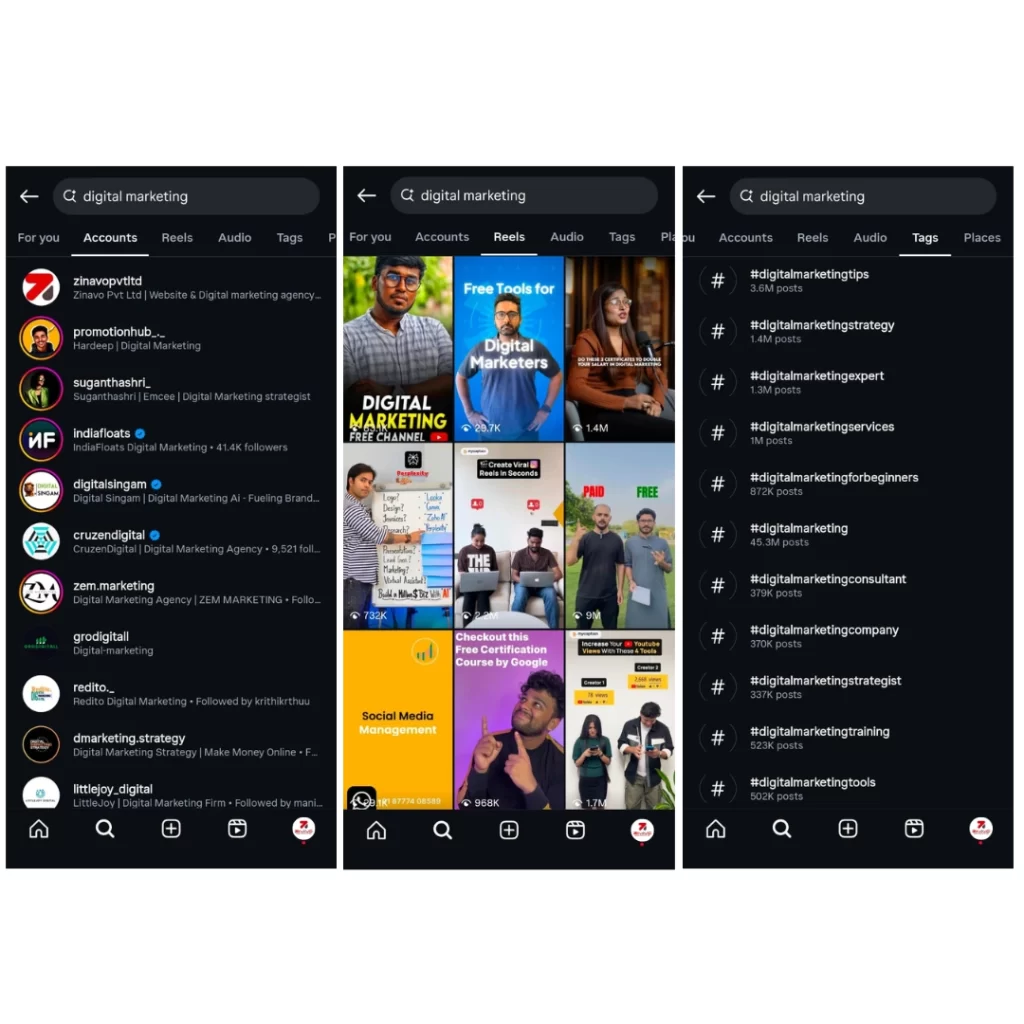
Instagram SEO requires a deep understanding of Instagram’s unique ranking method. When a user types into the search bar, Instagram pulls results based on several ranking signals:
- Bios and Usernames: When users search Instagram, Instagram scans their bios and usernames for keywords relevant to the search.
- Engagement History: Accounts you follow or engage with frequently are more likely to appear.
- Hashtags and Captions: Keywords in hashtags and captions help Instagram categorize content.
- Alt Text: Useful alt text helps Instagram understand your post’s visual content. Instagram has improved its text recognition and search algorithms, making optimisation more critical than ever.
Step-Step Guide to Instagram SEO
Let’s break down how to optimise Instagram profiles and posts.
1. Optimise Your Username and Name Field
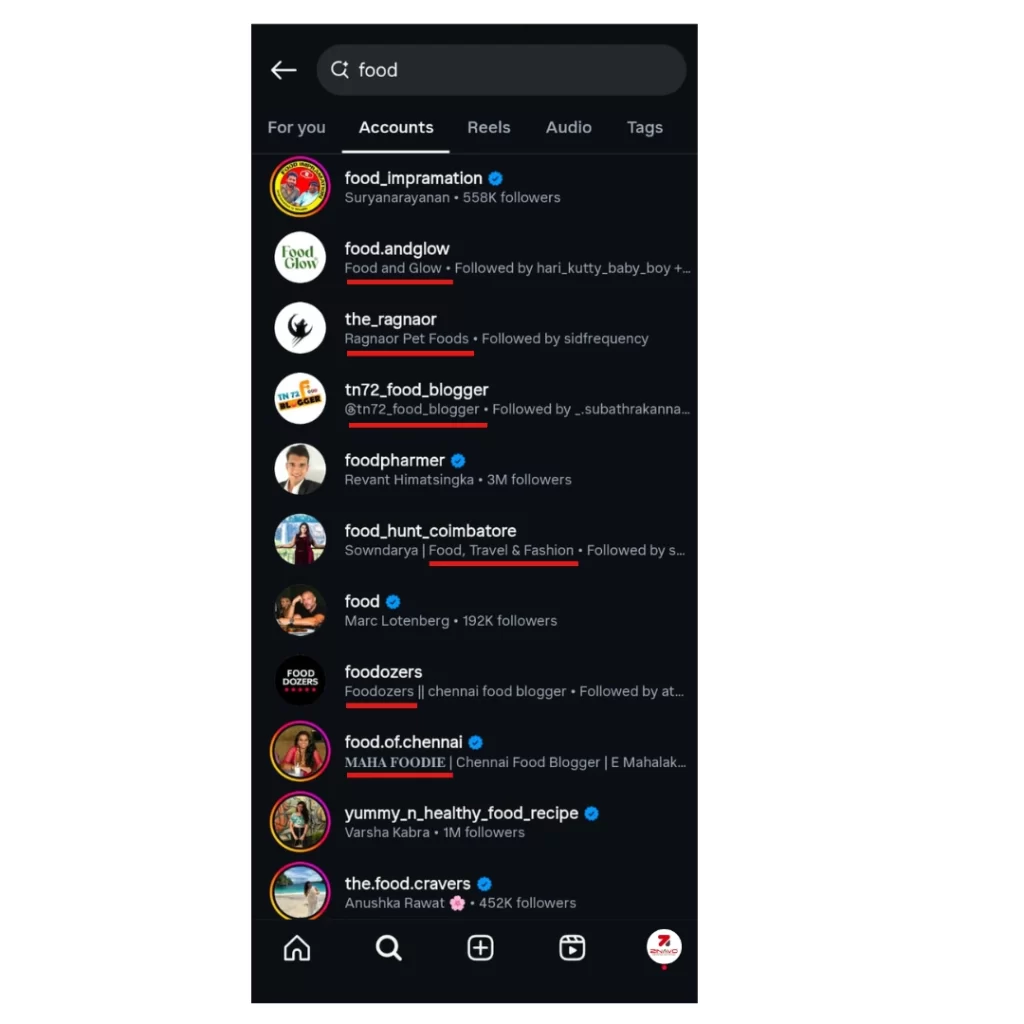
Instagram’s search engine indexes your Instagram username and name. Optimise your Instagram username and name field by including relevant keywords that reflect your niche or service. This helps users find your profile easily when searching for related terms, increasing your visibility and discoverability on the platform. The keyword “food” in your name field can help you appear in relevant searches if you’re a food blogger.
Example: Instead of just “@EmilyJane,” use “@EmilyJaneEats” and change the name field to “Emily Food Blogger.”
Our advice: Keep it short, relevant and keyword-friendly.
2. Use Targeted Keywords in Your Bio
Optimise your Instagram bio with targeted keywords so that you are visible and attract the right audience. Include keywords relevant to your brand, services or location in your Instagram bio to help users find your profile. Instagram bios have 150 characters, so keywords should be included here.
- Add niche-specific keywords naturally.
- Mention your service, expertise or target audience.
- Include a clickable call to action (CTA).
Example: “Helping small brands grow through creative & storytelling DM for projects”

3. Write Keyword-Rich captions
Improve your visibility in search results by including targeted keywords in your Instagram bio. Optimise your profile with relevant terms that reflect your niche, services or audience to make it easy for users to find and connect with you. Keywords in your captions help Instagram understand what your posts are about.
Instead of general captions like “Love this day,” try:
“Come to a cosy Bangalore cafe for the highest quality cold coffee and tasty breakfast.” This naturally includes keywords like “Bangalore café, cold brew and breakfast.”
In addition: Longer, story-style captions increase user interaction, a positive signal to the algorithm.
4. Use strategic hashtags.
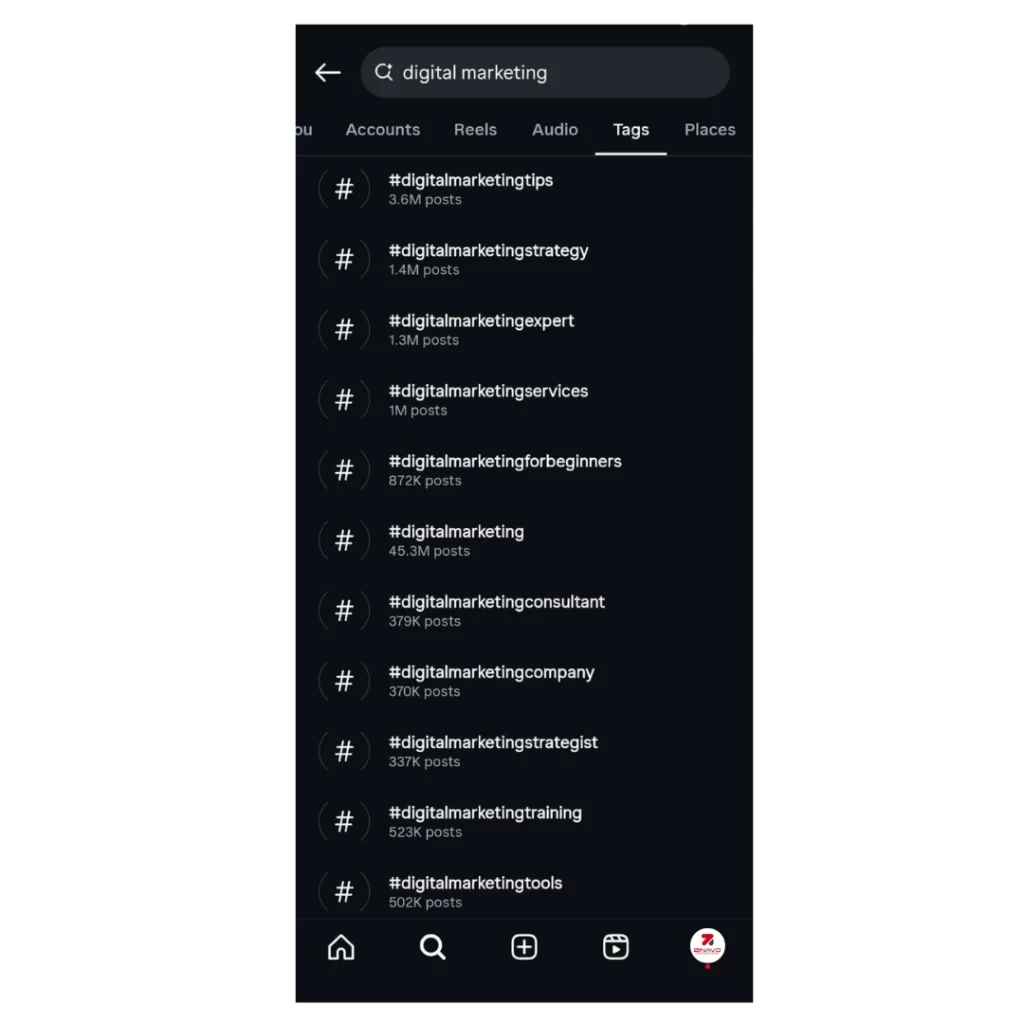
Hashtags are like Instagram search keywords. The most effective way to reach as many people as possible is to mix branded, niche, and trending hashtags.
- Use 3–5 highly targeted hashtags relevant to your content.
- Avoid banned or overused tags.
- Create a branded hashtag for long-term visibility.
Example: #digitalmarketingcompany #digitalmarketingtips #digitalmarketingstrategy #digitalmarketingexpert #digitalmarketingservices
5. Enable Alt Text for Your Post
Enable alt text in your Instagram posts to describe images clearly for better accessibility and SEO. It helps Instagram understand your content, boosting visibility on relevant search results and Explore pages. Instagram allows users to add alt text, which helps visually disabled users and boosts SEO.
Here’s an example of how a post appears in Google’s image results:

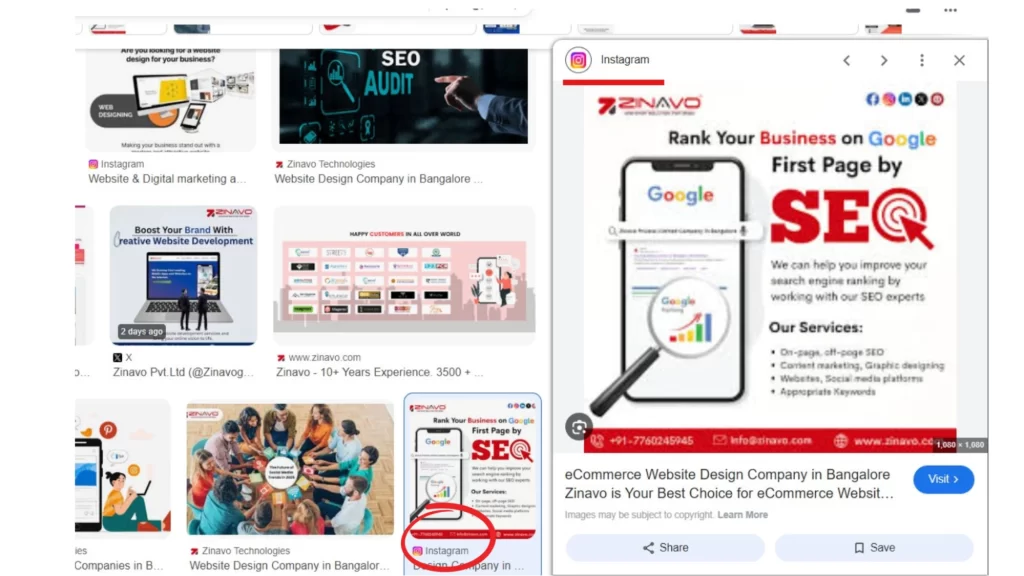
Writing keyword-rich alt text is the most effective way to increase Google visibility.
To add alt text to Instagram:
- Select a post you want to edit, click the three dots in the upper corner, and select “Edit.”
- Then, select “Edit Alt Text.”
- Add your copy and save it

Add subtitles to your videos:
Subtitles make your reels easier for users to watch without sound and also allow you to include keywords that attract users as they scroll through. Videos with subtitles do not result in more views, but more likes, comments and shares. The more interaction you create, the more likely your content is to reach more people over time.
The following steps will guide you through adding subtitles to Instagram:
- The first step is to create a reel and click on the sticker icon
- The captions will automatically be generated by Instagram when you select “Captions.”
- You should verify that the subtitles match your content (by tapping on the text) and, if necessary, edit them.
- Instagram’s auto-generated subtitles are an excellent starting point. In addition, you can use apps to customise your experience more.
- Subtitles can be visually appealing and aligned with your brand using these apps by choosing fonts, colours and animations.
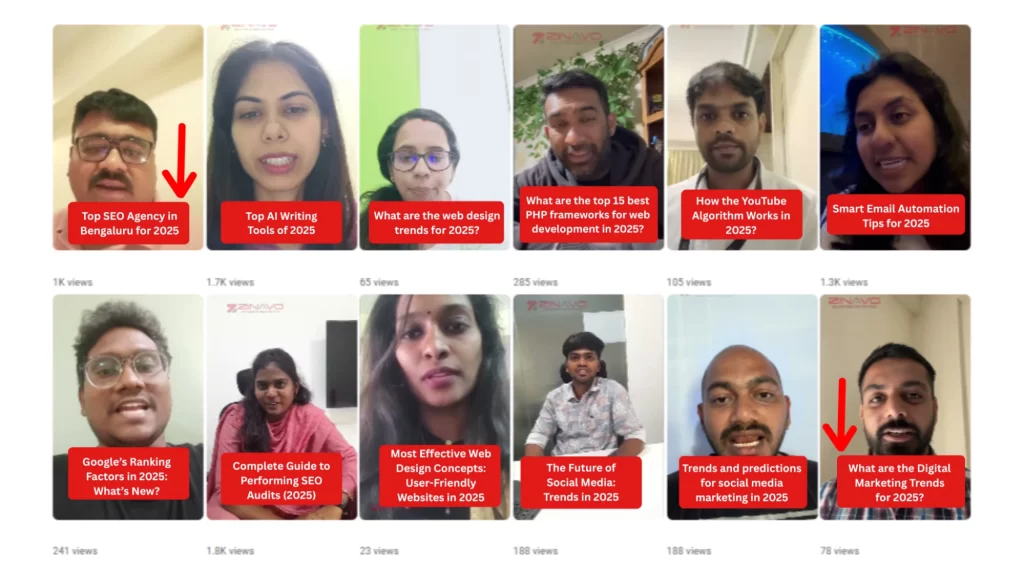
Post at the Right Time:
Posting at the right time ensures your content reaches the maximum audience when they are most active. Timing directly impacts visibility, engagement and overall performance on platforms like Instagram, Facebook and LinkedIn.
Why it matters:
- Boost likes, comments and shares
- Increases chances of reaching new audiences
- Aligns with user behaviour patterns
Real example:
HubSpot reported that Instagram posts between 9 AM – 11 AM (Tuesdays & Wednesdays) saw the highest engagement rates, proving that timing can amplify your content’s success.

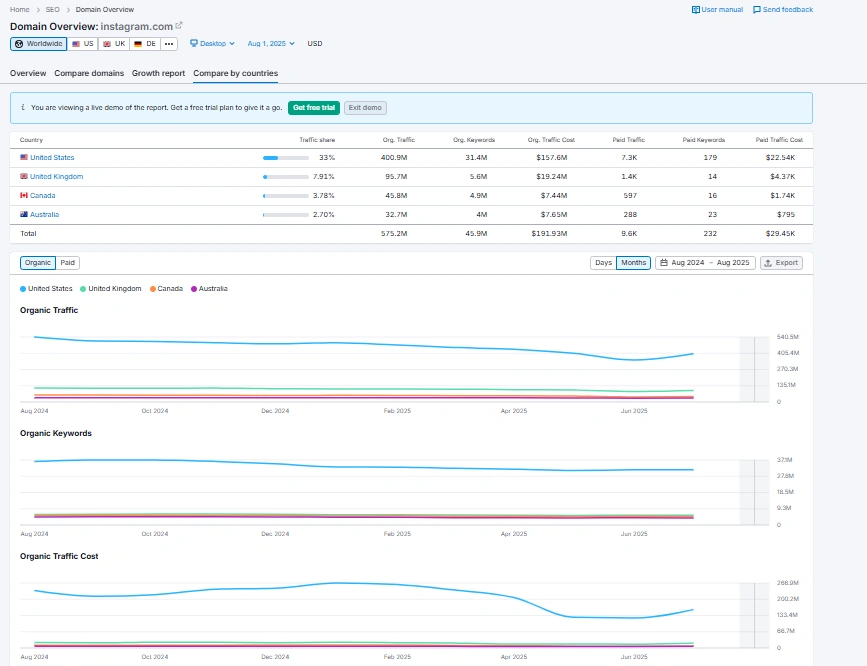
Avoid Watermarks on Your Reels:
Watermarks on your reels can reduce reach and look unprofessional, especially on Instagram. Platforms like Instagram may deprioritise videos with TikTok or third-party app watermarks.
Why Avoid Watermarks?
- Maintain a clean, branded look
- Increases engagement chances
- Prevents algorithm penalties on some platforms
Real demo:
A content creator reposted the same video with a TikTok watermark and once without it. The clean version gained 2x more reach and 40% more savings on Instagram, proving the importance of watermark-free content.
Prioritise Engagement with Your Audience:
Engagement is about building loyalty and meaningful relationships with your audience. Instead of just posting content, actively interact through comments, polls, direct messages and Q&A sessions. This two-way communication boosts visibility (thanks to algorithms) but also makes your followers feel valued and heard.
How to engage:
- Ask questions in your captions or stories
- Run polls or quizzes
- Reply promptly to comments and DMs
- Features user-generated content
- Get live and interact in real-time
Example:
A fashion brand on Instagram runs weekly “This or That” polls in Stories and replies to every comment on their post. Consequently, their engagement rate increases, resulting in more visibility through Instagram’s algorithm and higher conversions.

Start Posting Optimised Instagram Content:
Posting optimised content on Instagram is essential for increasing reach, engagement and conversions. Optimised posts are not just visually attractive, but strategically designed with relevant hashtags, keywords, alt text and engaging captions. This is to rank better in Instagram’s search and explore feeds.
- Use niche-specific keywords (5–15 per post).
- Write keyword-rich captions (including your main topic/brand).
- Add location tags to increase discoverability
- Use high-quality visuals and consistent brand design
- Include a clear CTA (CALL TO ACTION).
Example:
A digital marketing agency posts a slide show titled “Top 5 Instagram SEO Tips for 2025″ The caption includes the keyword “Instagram SEO strategies”, uses hashtags like #InstagramSEO and #SocialMediaMarketingTips and sets alt text for each slide explaining the content (e.g., “SEO tips to increase Instagram reach”).