info@zinavo.com
 +91-77602 45945


Introduction
Website speed is one of the most important aspects of online performance today. A fast-loading site delivers a smooth user experience but also influences search engine rankings. The delay causes visitors to leave the page, which means lost opportunities for engagement and sales. Optimizing your website speed is therefore not just a technical upgrade it’s a business necessity.
We’ll explore at why speed matters, the reasons websites slow down and the best ways to optimize your site using proven tips and effective tools.
Why Website Speed Matters
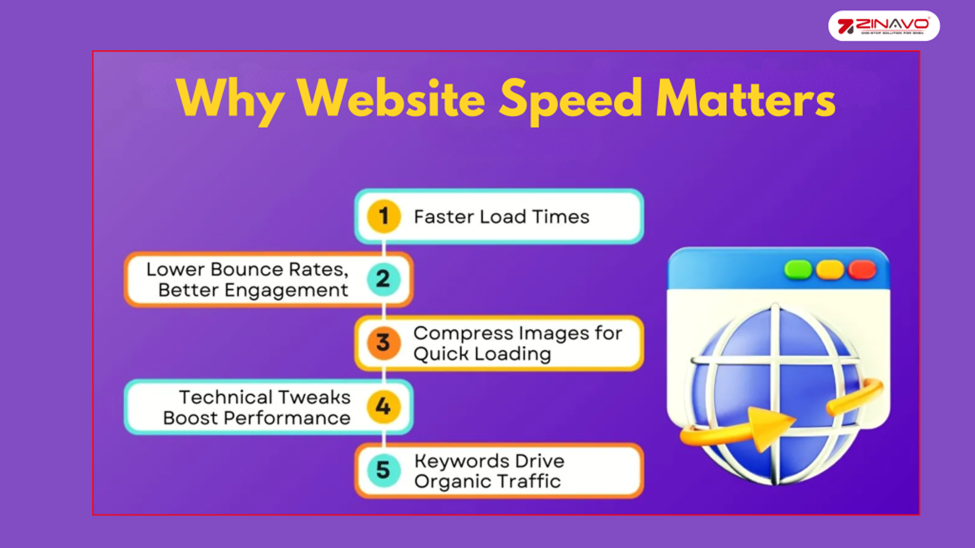
Modern internet users expect instant results and even a few seconds of delay can frustrate them especially on slower mobile connections. Speed also affects SEO, as Google factors in Core Web Vitals like LCP, FID and CLS when ranking sites. Faster websites rank better and boost conversions with even small delays potentially causing lost customers and income.
What Slows Down a Website?
Several issues can contribute to slow performance and identifying them is the first step in fixing speed problems. Common causes include:
- Oversized or uncompressed images
- Poor hosting infrastructure
- Bloated CSS or JavaScript files
- Too many HTTP requests from plugins, widgets or external scripts
- Lack of caching strategies
- High server response times (TTFB)
Understanding these problem areas helps you target the right optimization techniques instead of randomly adjusting settings.
Tips to Optimize Website Speed
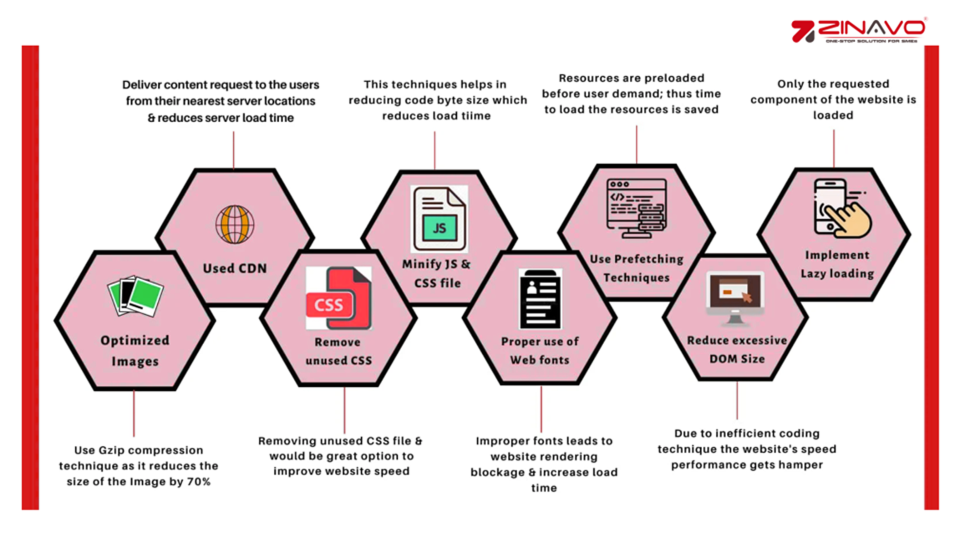
Website speed is crucial for user experience, SEO, and conversions. Conversions can be reduced by 7% with a one-second delay.
Fast loading is essential to keep customers in a competitive online world. Factors like server performance, file size and code quality all impact load times.
We’ll explore the best practices to speed up your website so it performs well for every visitor, no matter what device they use.
1. Reduce the Number of HTTP Requests
The browser makes HTTP requests to fetch resources such as images, CSS stylesheets and JavaScript files every time your page is loaded. Too many requests can overload the browser and slow page loading.
Best practices include:
- Remove unnecessary images, scripts and fonts.
- Eliminate unused plugins if you’re running a CMS like WordPress.
- Combine CSS and JavaScript files where possible.
- Compress files before serving them.
Using tools such as Sematext Experience and Chrome DevTools or GTmetrix you can see which requests are slowing your site down.
2. Switch to HTTP/2 or HTTP/3
The older HTTP/1.1 connections handle one request at a time, creating overhead when multiple files are being loaded. HTTP/2 and HTTP/3 provide multiplexing capabilities, which means that multiple files can be transferred over the same connection at the same time.
This is important for the following reasons:
- Less waiting time for users.
- Fast delivery of images, scripts and styles.
- Improved security since most HTTP/2 setups require HTTPS.
Modern hosting providers usually support HTTP/2 or HTTP/3 and can be enabled by updating your hosting configuration.
3. Optimize Image Sizes
Images are often the heaviest elements on a website. Oversized or uncompressed images can severely affect performance.
The following steps can be taken to correct this:
- Use appropriate file formats: JPEG for photos, PNG for transparent images, WebP/AVIF for modern compression.
- Compress files with tools like TinyPNG, Squoosh or Optimize.
- Implement responsive images (srcset) so users download the correct size based on their device.
The load time can be shortened by compressing and scaling your images correctly.
4. Use a Content Delivery Network (CDN)
A CDN stores cached versions of your site’s static files (CSS, JS, images and fonts) on multiple servers worldwide. When a visitor requests your page the CDN delivers content from the server nearest to them, reducing delay.
Benefits of using a CDN:
- Faster global load times.
- Reduced strain on your origin server.
- Improved security and protection against DDoS attacks.
The most popular CDN providers are Cloudflare, Akamai and Amazon CloudFront.
5. Write Mobile-First Code
The majority of Internet traffic now comes from mobile devices, which is why mobile performance is essential when building websites.
Mobile-first practices include:
- Writing responsive CSS that adapts to screen size.
- Testing with slowed connections to simulate slower mobile networks.
- Focusing on lightweight designs and fast-loading elements.
Using mobile optimization by default ensures that users on slower devices or networks are not negatively affected.
6. Minimize Time to First Byte (TTFB)
The time it takes the server to respond with the first byte of data after a browser request is measured by the TTFB. The TTFB of a server is high when it is not efficient.
Ways to reduce TTFB:
- Optimized server logic and database queries.
- Upgrade your hosting to VPS or dedicated servers if traffic is high.
- Use caching layers like Varnish or Redis.
TTFBs under 200 ms are excellent, while anything consistently over 600 ms should be evaluated.
7. Choose the Right Hosting Service
The performance of your site is determined by the hosting provider you choose. Poor-quality hosting will adversely affect the performance of your website, regardless of how optimized your code is.
Hosting options include:
- Shared hosting: Budget-friendly but slower.
- VPS hosting: Faster and more scalable.
- Dedicated servers: Maximum control and performance.
- Serverless hosting: Scalable with strong performance on a pay-per-use basis.
The host you choose should be able to handle your traffic, budget and performance requirements.
8. Implement Gzip or Brotli Compression
Compressing resources before sending them to browsers reduces file size significantly. The first byte arrives faster since compression reduces the amount of data transferred between the server and the client.
Gzip or Brotli compression can reduce file sizes and improve TTFB. Page load times are faster for users, enhancing their browsing experience.
- Gzip is widely supported and easy to enable in Apache, Nginx or IIS.
- Brotli offers even better compression rates but may require extra setup.
HTML, CSS and JS files benefit from these methods because they save bandwidth and improve loading times.
9. Minify and Combine CSS, JavaScript, and HTML
Code files by default contain spaces, comments, and formatting that browsers don’t need. The minification process removes unnecessary characters from files, making them smaller. Reducing the number of requests is another benefit of combining multiple files into one.
Tools to use:
- Webpack or Gulp for developers.
- Autoptimize or WP Rocket for WordPress users.
10. Load JavaScript Asynchronously
JavaScript can block page display if loaded automatically. Load it simultaneously or defer it until after critical content has been displayed.
Best practices:
- Add the async or defer attribute to script tags.
- Place scripts near the closing </body> tag.
This ensures that users will see meaningful content quickly without waiting for all scripts to finish loading.
11. Use Prefetch, Preconnect and Prerender
Modern browsers allow developers to hint at which resources will be needed soon.
- DNS Prefetch: Resolves domain names early.
- Preconnect: Establishes TCP and TLS handshakes in advance.
- Pre-fetch: Download resources before they’re required.
- Prerender: Loads entire pages in the background.
These techniques reduce perceived latency and make navigation feel instant.
12. Reduce the Number of Plugins
Plugins provide useful functionality but they often come with extra scripts and files that can slow down your website. The presence of too many plugins can negatively impact the performance of your site. The best way to optimize your site is to regularly audit your installed plugins and remove any that don’t provide the functionality you need. It is also recommended that you only keep plugins that have been developed by well-known developers in order to ensure security and efficiency. The faster your website loads the less requests it makes to your server due to removing unnecessary plugins.
13. Use Website Caching
Caching helps improve website speed by storing static versions of your site so that repeat visitors don’t need to re-download all resources each time they access a page. There are several types of caching that enhance performance. Browser caching saves resources locally on a user’s device, allowing pages to load faster on future visits. Caching on the server involves storing pre-generated HTML pages, reducing the server’s workload and improving response times. CDN caching ensures faster loading times by delivering cached files from edge servers located close to users. Caching can be easily implemented in WordPress by using plugins such as WP Super Cache, W3 Total Cache or WP Rocket, which simplify setup and improve performance.
14. Adopt Cloud-Based Website Monitoring
Optimization doesn’t end after changes are made continuous monitoring is essential.
Two approaches to monitoring:
- Synthetic Monitoring: Simulates user interactions from different locations.
- Real User Monitoring (RUM): Tracks performance based on actual visitor data.
Tools like Sematext Experience, New Relic or Datadog provide valuable insights into speed, TTFB and Core Web Vitals.
Tools to Measure and Improve Speed
Monitoring and testing are essential because optimization is an ongoing process. Here are some of the most useful tools:
- Google PageSpeed Insights: Analyzes mobile and desktop performance, providing detailed recommendations.
- GTmetrix: Offers a breakdown of load times, waterfall charts and improvement tips.
- WebPageTest: Advanced tool for simulating load times across devices and locations.
- Pingdom: Simple and user-friendly speed test for beginners.
- Lighthouse (in Chrome DevTools): Checks not only performance but also SEO and accessibility.
These tools provide both lab data (simulated tests) and field data (real user metrics). The best insights are obtained by combining both approaches.
Conclusion
The speed of a website has become a critical factor for online success. Optimizing your site will make your site more reliable, faster and more enjoyable for your users by reducing HTTP requests, compressing files and utilizing CDNs and cloud monitoring tools.
It is important to be consistent with your performance measures, use both basic and advanced techniques and ensure that your infrastructure and hosting are able to handle your traffic growth. The speed of a website is not only beneficial to users – it is beneficial to the company as well.